
Store Locator: locations, search, and maps
Configure locations, filters, “Use my location”, and maps. Import from Sheets/CSV and embed with a CLS-safe layout.
Featured
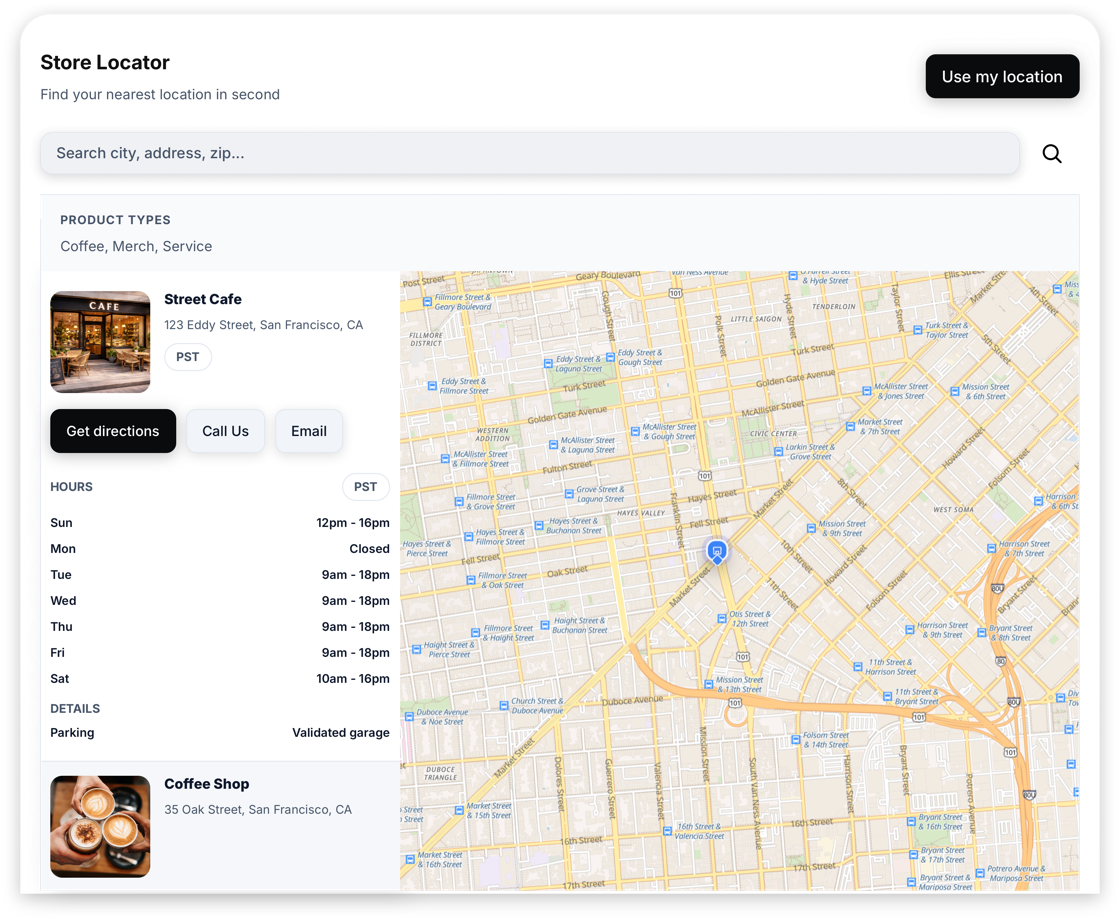
Quick start
- Open the editor: /get-widget/store-locator
- Add locations (manual or import).
- Enable Search and optional Geolocation (“Use my location”).
- Choose a layout (stacked/split).
- Click Save & Get Code to publish and embed.
Locations: tags, product types, amenities, and hours
Each location can include:
- Name + address + phone + website
- Tags / product types / amenities (for filters)
- Images (via Media Library)
- Opening hours (including split shifts + overnight ranges)
Best practice: keep tags consistent (same casing/spelling) so filters stay clean.
Maps: providers and CSP-safe embeds
Store Locator supports multiple map providers (OpenStreetMap/OpenFreeMap, Google Maps, Mapbox, MapTiler).
Some site builders apply strict CSP rules. In those cases, the widget can render the map in an iframe fallback to keep tiles/styles loading reliably.
Even with maps enabled, the widget is designed to reserve space and lazy-init heavy map code to protect performance.
Design: presets + themes + Add My Style
Use the Style preset buttons (Default, Glass, Creative) plus the Styles dropdown to quickly get a premium look.
If you want the widget to match your site, click Add My Style and apply the extracted colors/typography/surfaces.
Theme changes reset fine-tuning back to defaults before applying the theme values.
Need help? Send the right details (so we can answer fast)
Support is fastest when we can reproduce the issue.
Please include:
- The page URL where the widget is embedded (or the editor URL)
- The platform/builder (WordPress, Webflow, Shopify, Squarespace, etc.)
- What you expected to happen vs what you see
- A screenshot of where the snippet is pasted (or a short screen recording)
If your issue involves a social connection (Instagram/Threads/TikTok), also include:
- Which login path you used (Instagram vs Meta vs TikTok)
- A screenshot of the provider error screen (if any)
- Whether the account is Personal vs Business/Creator
Contact us here: /support.