
Before / After Slider Widget for Website
A premium before/after image comparison widget with a drag-first handle.
Show transformations with a CLS-safe before/after slider—touch-friendly dragging, keyboard support, and polished presets.

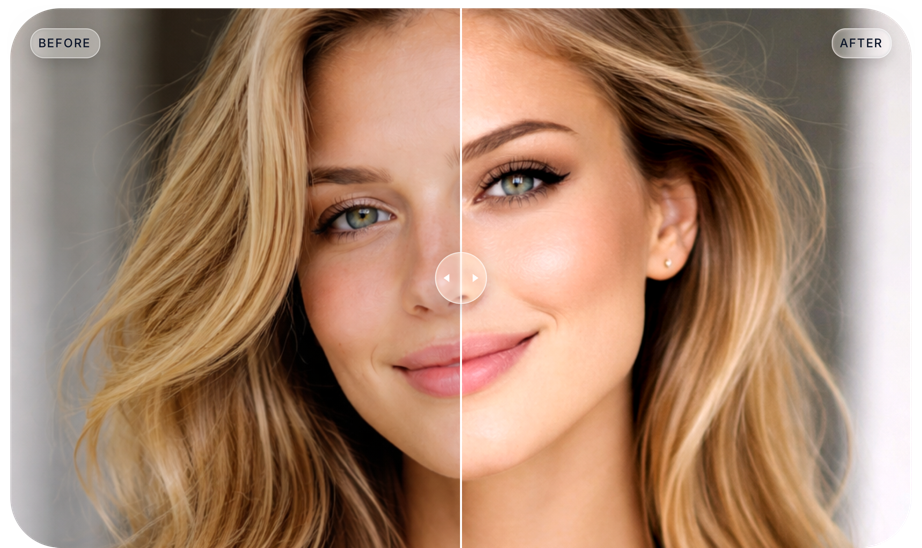
Image comparison
Before / After Slider
Curated, design-first widgets with zero layout shift, Shadow DOM isolation, and copy/paste simplicity.
What it is
A before/after slider that lets visitors compare two images by dragging a handle—ideal for “proof” moments on landing pages.
How it works
Upload Before and After images, pick an aspect ratio, then choose horizontal/vertical orientation and drag/hover interaction.
Performance & accessibility
The layout reserves space (CLS-safe), supports touch dragging, and includes keyboard-friendly controls for accessibility.
Popular use cases
Renovations, before/after edits, photo retouching, UI redesigns, and product customization comparisons.
Read the full guide →Edit Your Before / After Slider Widget
Choose widget layout and add it to your website for free!
What Our Customers Say
Key features
- Horizontal + vertical orientations
- Drag or hover-compare interactions
- Aspect-ratio based layout (CLS-safe) with label + handle presets
Use cases
- Renovations and transformations
- Photo edits and design revisions
- Before/after product demos (UX/UI, logos, branding)
How to embed
- Open the editor and create a new Before / After Slider widget.
- Customize theme, triggers, and data sources.
- Copy the embed snippet and paste it into your site.
- Verify in staging; publish with lazy loading enabled.
Shadow DOM isolation ensures your styles never leak.
Works everywhere
View all →Install your Before / After Slider widget on any platform in minutes.
Guides for Before / After Slider
Browse guides →FAQ
How do I add a Before / After Slider widget to my website?
Customize the widget in the editor, copy the embed snippet, and paste it into your site (WordPress, Webflow, Shopify, or plain HTML).
Do I need a paid plan to publish a Before / After Slider widget?
You can start on the free plan to publish a widget. Paid plans unlock higher limits and more advanced platform features.
Will this widget hurt performance?
GizmoSauce embeds are designed to be CLS-safe and lazy loaded. Always verify on a staging URL to confirm it fits your layout.
What is a before/after image comparison widget used for?
Use it when you want visual proof: renovations, before/after edits, photo retouching, UI redesigns, and product customization comparisons (like color or finish).
How do I make the comparison look “fair”?
Use matching aspect ratios and align focal points. In GizmoSauce you can fine-tune image positioning so Before and After are framed consistently.
Can I customize the handle style and labels?
Yes. You can tweak label styling and choose from multiple handle styles so the comparison feels native to your site’s design.